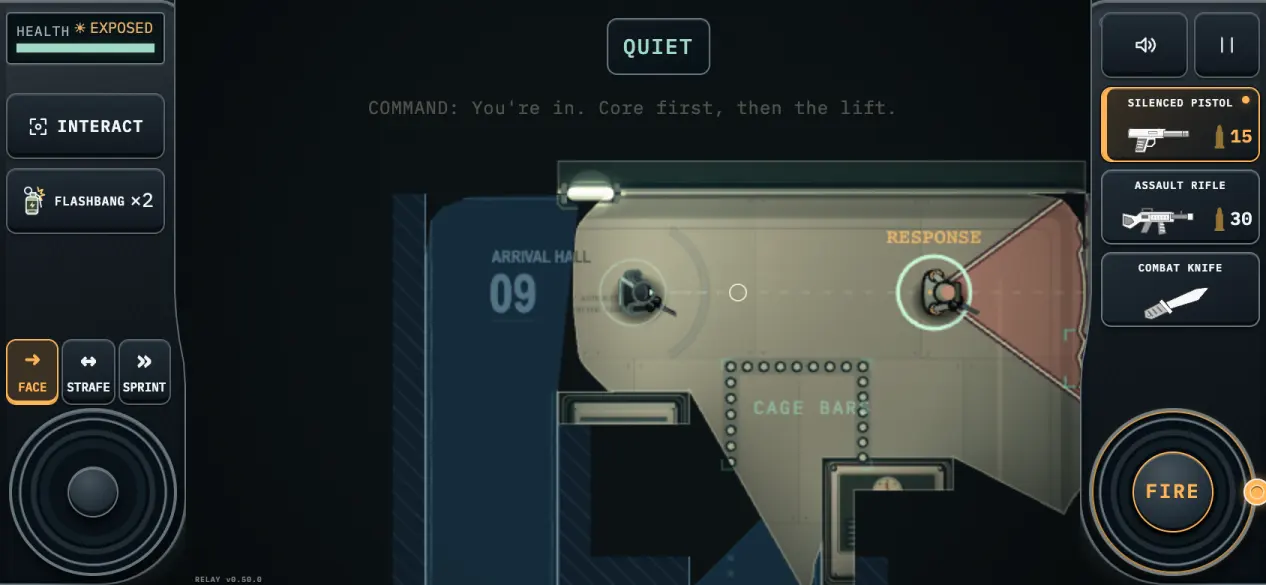
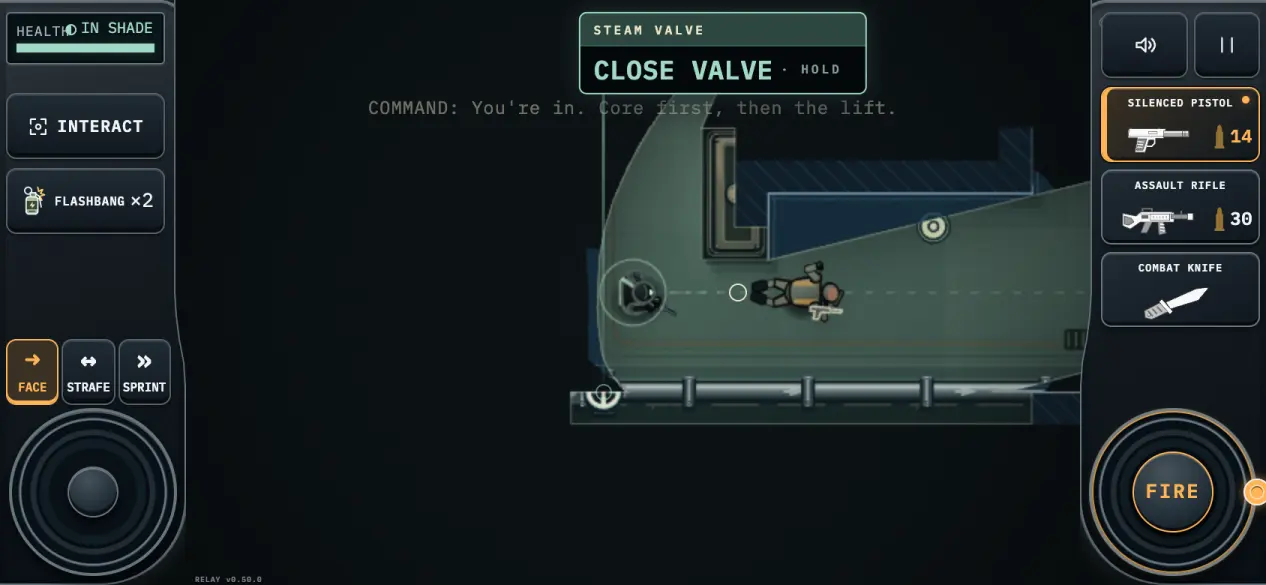
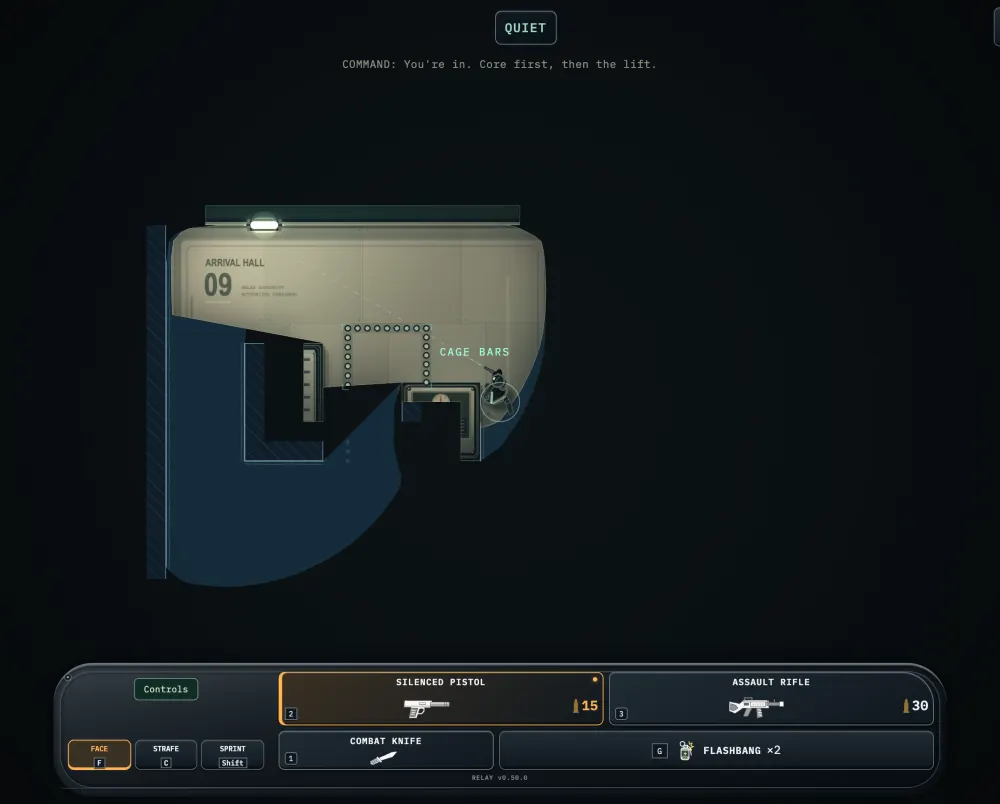
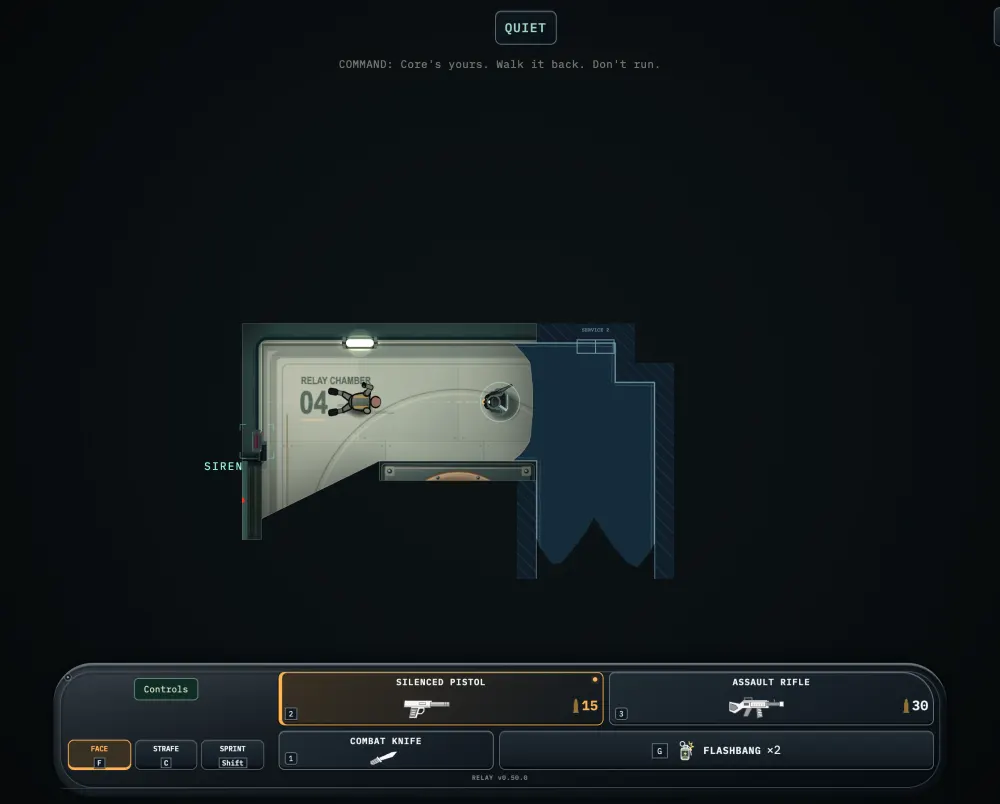
A stolen signal. A facility full of ears. You are one operative inside a station that is listening for you: patrols on a shared radio net, doors that have to be hotwired, and a signal core that has to come out with you. Replayable stealth action in the browser for phone, keyboard and controller, with nothing to install.
Phone. Arrival Hall 09. One guard, one lit floor, and the part of it you cannot cross.
Phone. A suppressed shot is quiet, not silent. Somebody nearby heard that.
Desktop. Stand still at a wall's end and the body settles into cover. The view goes first.
Desktop. The core rides in both hands, so nothing else can. Now walk it back.
How it plays
Stealth. Stay in the shade and out of their sight cones: what you can see is exactly what can see you.
Guards on a net. Patrols report what they find over a shared radio, call for backup and sweep together; take a radio off one of them and you can hear the net yourself.
Scavenged gear. Carry two firearms and a knife, take rounds and magazines from the guards you leave behind, and drop whatever slows you down.
The building is a weapon. Shoot a pipe for cover steam, break a light to dim a room, cut an alarm line, or throw a flashbang to break contact.
Co-op. Bring a friend into the same station with a private room link; no accounts, and friendly fire is live.
Controls
Touch
The deck splits around the mission: movement on the left, weapons and fire on the right.
LEFT THUMB drag to move, ease gently to sneak
RIGHT THUMB drag to aim and fire; tap FIRE for one shot
Tap or drag the field to face without firing
FACE / STRAFE release or hold a bearing
SPRINT run; firing stops it and draws your weapon
INTERACT, or tap what is in front of you; its caret opens the rest
FLASHBANG throws ahead; walls block the blast
Tap a holstered weapon on the rail to select it
Keyboard and mouse
The arrow keys walk you. WASD also works, and W A S D is what other games call it.
Moving the mouse aims: the crosshair on the floor is where your shot goes. In Face you turn back to your walk when you let go; in Strafe your aim stays with the mouse.
Mouse aims; hold left-click or press SPACE to fire
Right-click toggles Face / Strafe; F Face, C Strafe
Click a reachable item to interact; E takes the offered verb
SHIFT sprint, ALT sneak
TAB / SHIFT+TAB the other options; walking dismisses them
Wheel, X, 123 weapons; G flashbang
ESC pause, cancel, or put a carried body down
Controller
A pad plays it the way a pad plays anything: sticks for the man, triggers for the gun.
Left stick moves, right stick aims
RT / R2 fire; firing stops a sprint
A / CROSS interact; B / CIRCLE cancel
X / SQUARE cycle firearm; Y / TRIANGLE knife
LB / L1 sprint; RB / R1 flashbang
LT / L2 hold a bearing at strafe speed
The d-pad walks the options in front of you; MENU / OPTIONS pause
What's new
v0.51.1
Co-op on a phone held upright. FLASHBANG and PING now line up under the knife, clear of the thumb controls.
AUTO AIM in a narrow window. On a very narrow desktop window the AUTO AIM button no longer covers Controls.
v0.51.0
AUTO AIM. Turn it on in settings and a button appears on your control panel. Press it and your gun comes round to the nearest guard in front of you that you can see, whether you stand, walk, strafe or peek from a corner. You still pull the trigger.
Co-op on a phone held upright. PING no longer sits on top of the FACE button.
Route Lock buttons on squarer screens. On tablets and near-square windows, CLOSE and HOLD FOR HINT were squeezed into a sliver beside the board. CLOSE now sits in the top corner and the hint sits bottom left, both whole.
v0.50.5
Streamlined behind the scenes for a smaller build.